API Overview
General information about the API.
Welcome to the portierX API documentation! This guide provides an overview of the API, including how to authenticate, make requests, and handle responses.
The portierX API uses REST API and generally follows the schema:
Sandbox Environment
The active API server is currently in a sandbox environment. You can test the
API using the sandbox URL api.portierlabs.com instead of api.portierx.com.
For example:
to list all locking systems for a customer.
Authentication
Please check the Authentication page for more information on how to authenticate your requests.
Make a Request
You can check all endpoint under References section. The API is designed to be simple and easy to use. You can make requests directly on the documentation or using any HTTP client, such as curl, Postman, or your favorite programming language.
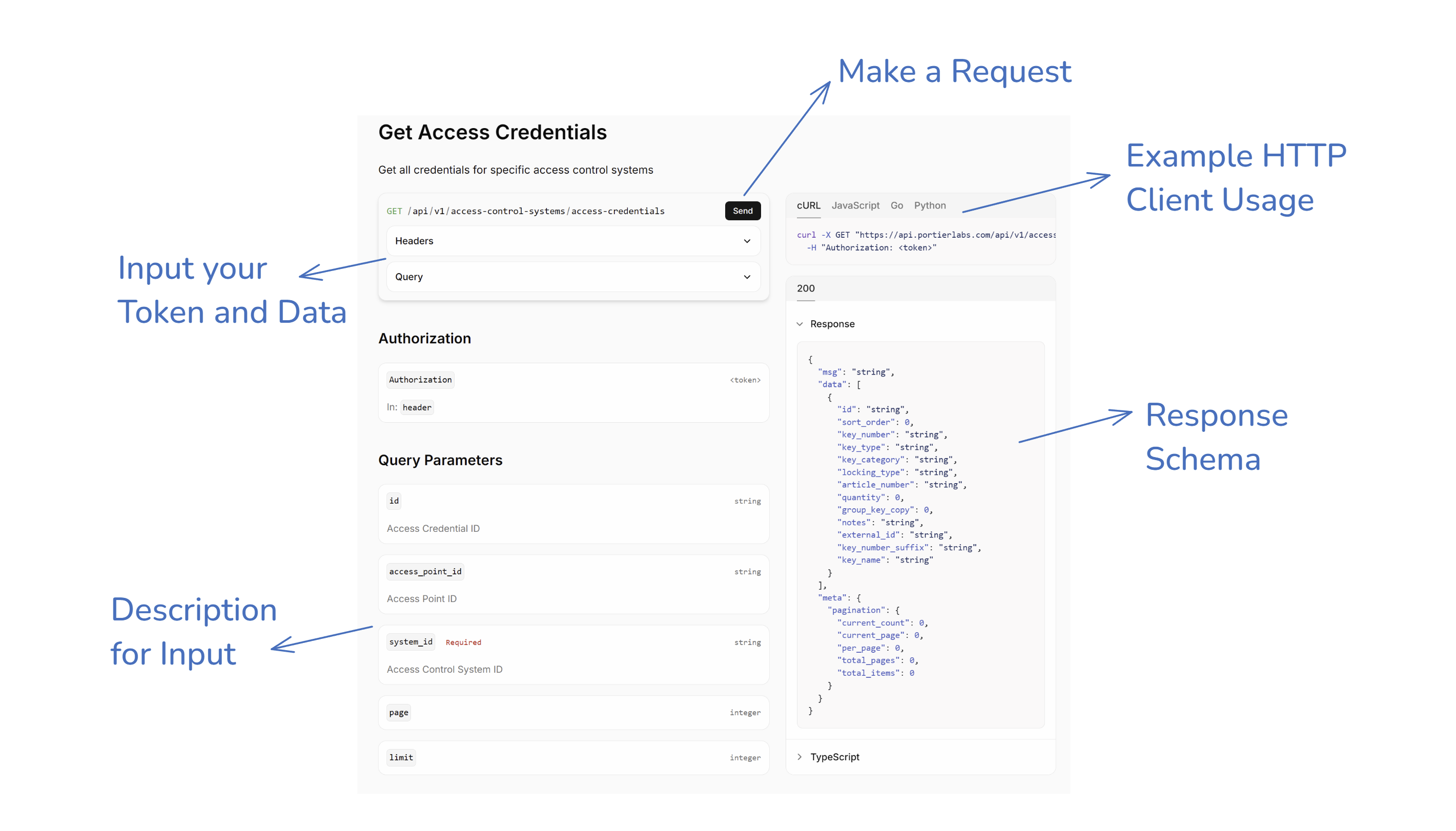
After you click the send button, you will see the response data right below the request.
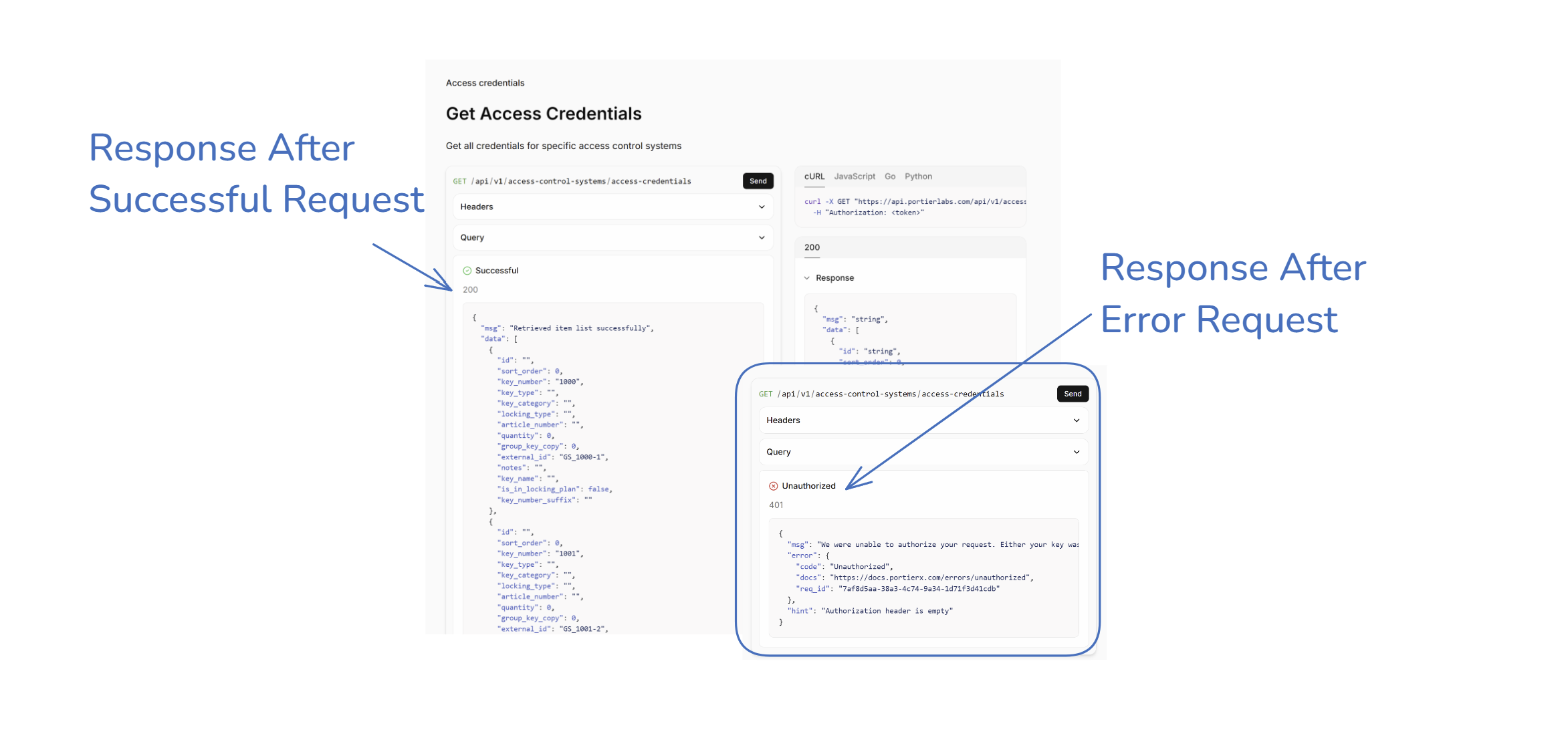
Response Body
Single Response
If the endpoint is designed to return a single item, the response data will be available in the data field as an object. The response will look like this:
Multiple Response
If the endpoint is designed to return a list of items, the response data will be available in the data field as an array. Additionally, it also return a meta for pagination and related information. The response will look like this:
filter, order, select, and pagination are optional fields in the response body. They are used to provide context on the data returned.
Error Response
For error responses, you can look at the error overview page for more information. It defined several error codes and their meanings. The response will look like this: