Authentication
How to authenticate your requests to portierX's API
You'll need to authenticate your requests to access most of the endpoints in the portierX API. In this guide, we'll look at how authentication works.
Authenticate with Authorization Header
To authenticate API requests, include the Authorization header with a Bearer or Token type:
How to Get an Authenticate Token
There are two options for obtaining an authentication token:
1. Personal Access Token (PAT) for Service Users (Simpler)
- Open your portierx portal, click your organization name in bottom of the sidebar and click
User Management Settings
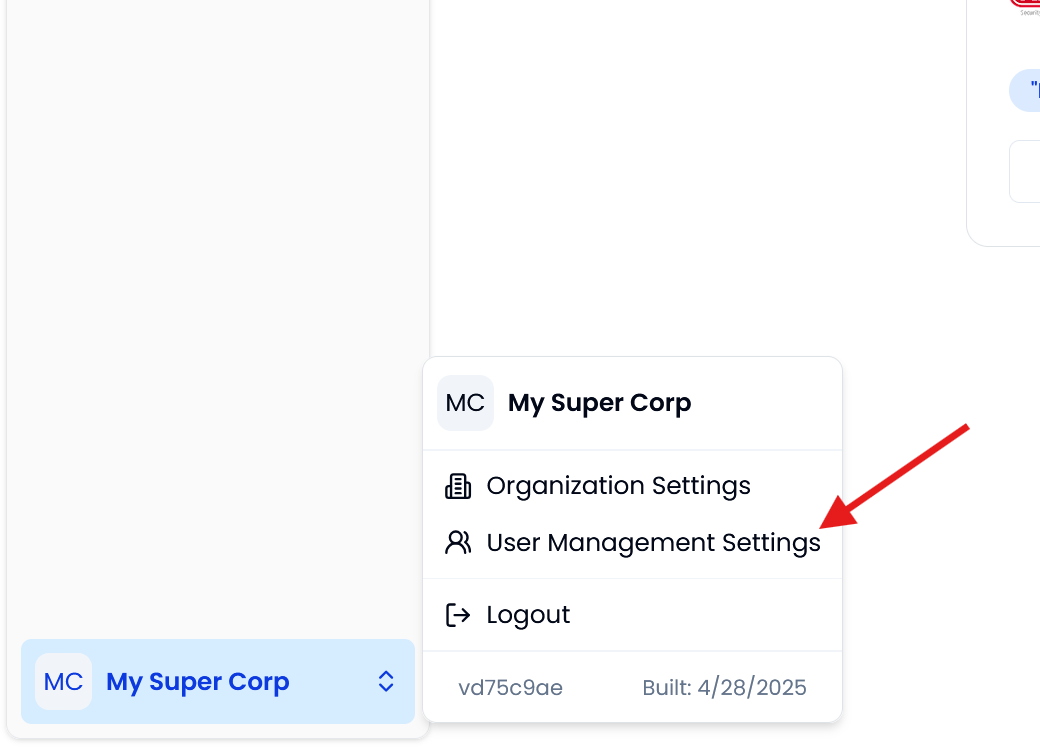
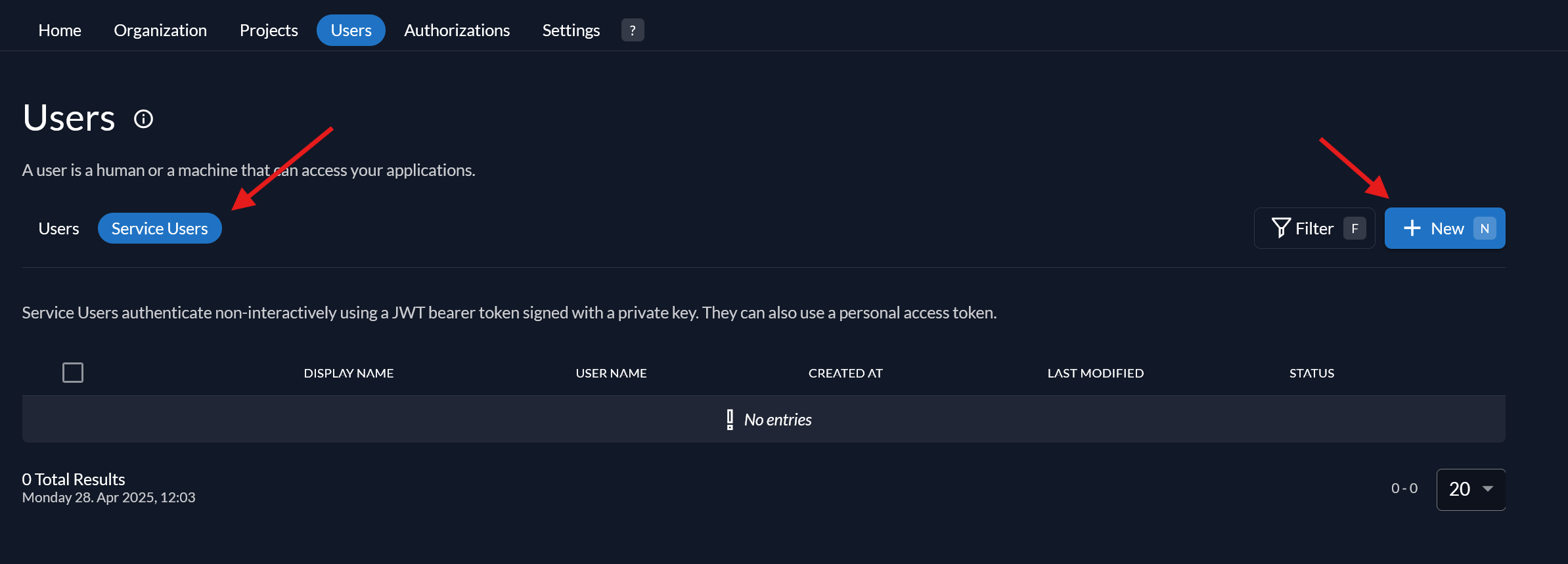
- You will be redirected to the user management settings page. Click
Service Usersin the navbar andNewto create a new service user.
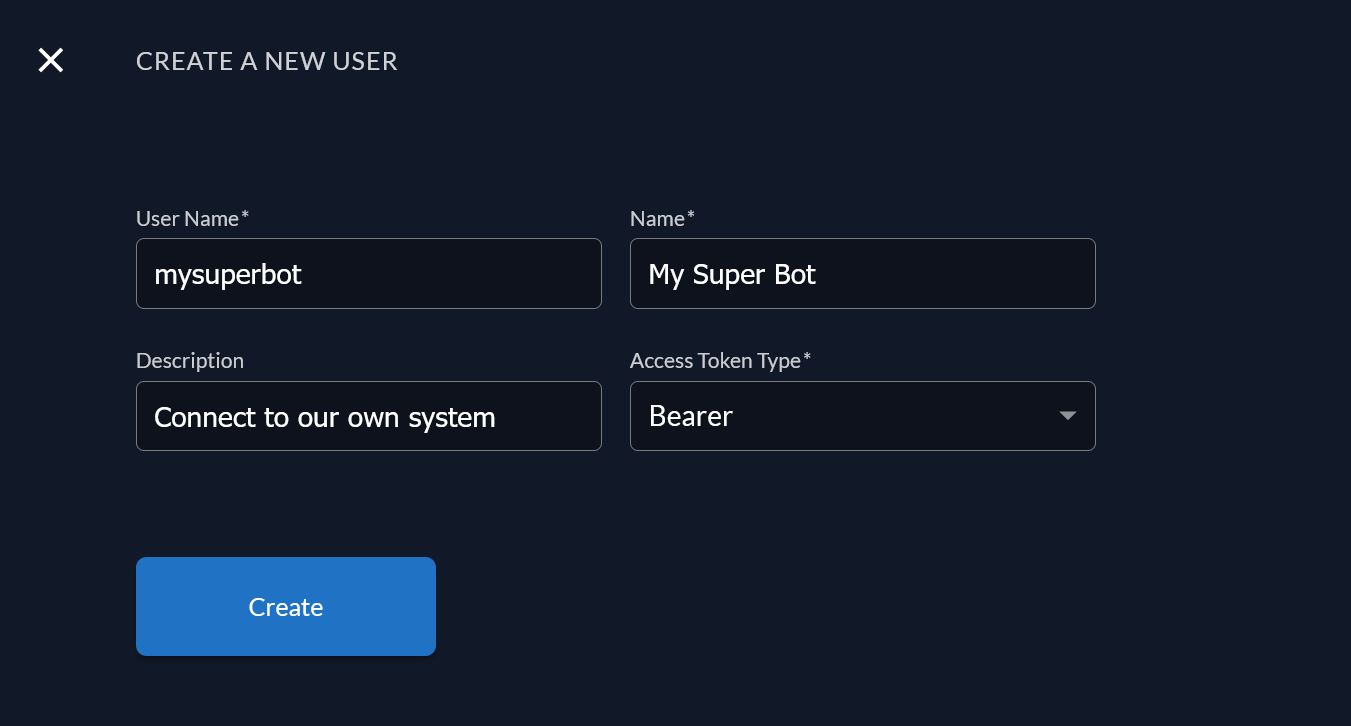
- Fill the form to create a new service user.
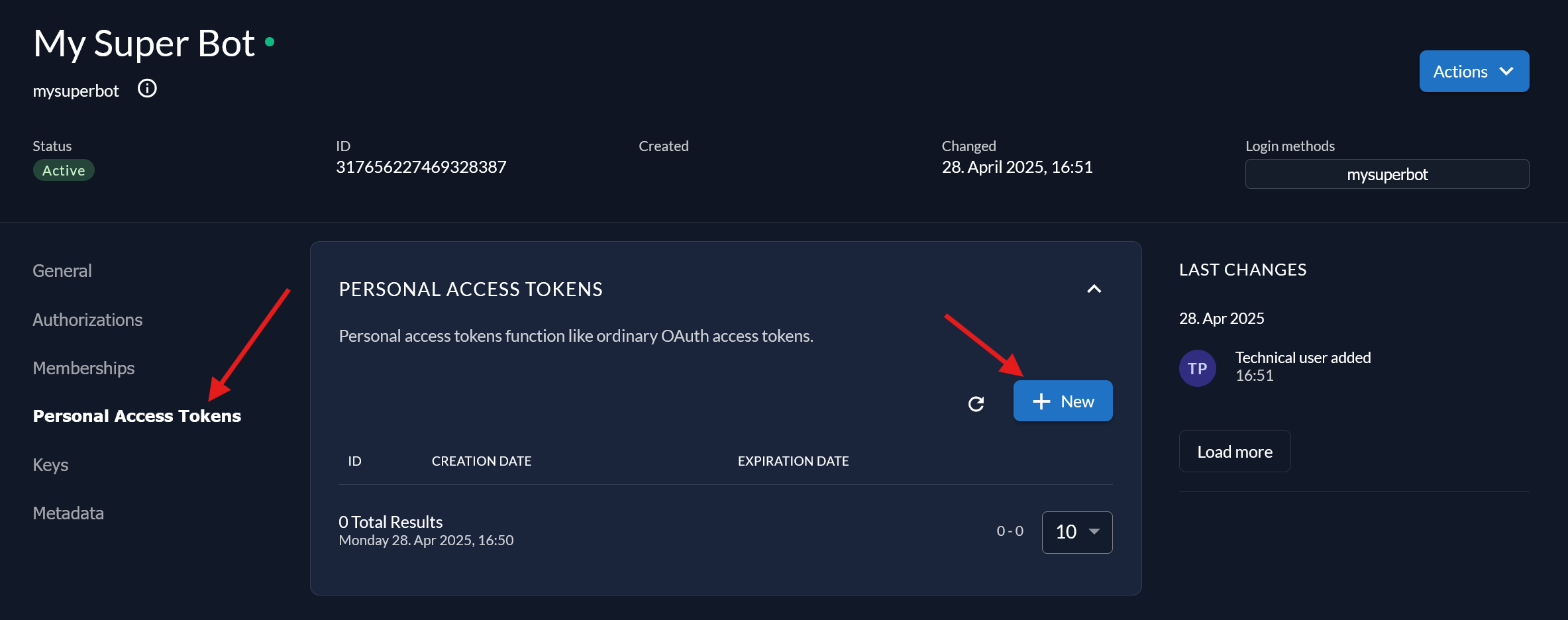
- After creating the service user, you will be redirected to the service user details page. Click
Create Tokento create a new personal access token.
-
You will be asked for expired date and get the token. The token will be displayed only once, so make sure to copy it.
-
After that, you can use the token to authenticate your requests. For example, to get the overview of the locking system:
- You may want to add an appropriate role for the service user to limit its access. You can visit the Roles and Permissions documentation for more information.
2. OAuth 2.0 Token (Most Secure)
Coming soon!